GPU Tier List 2026: 40+ Graphics Cards Ranked by FPS
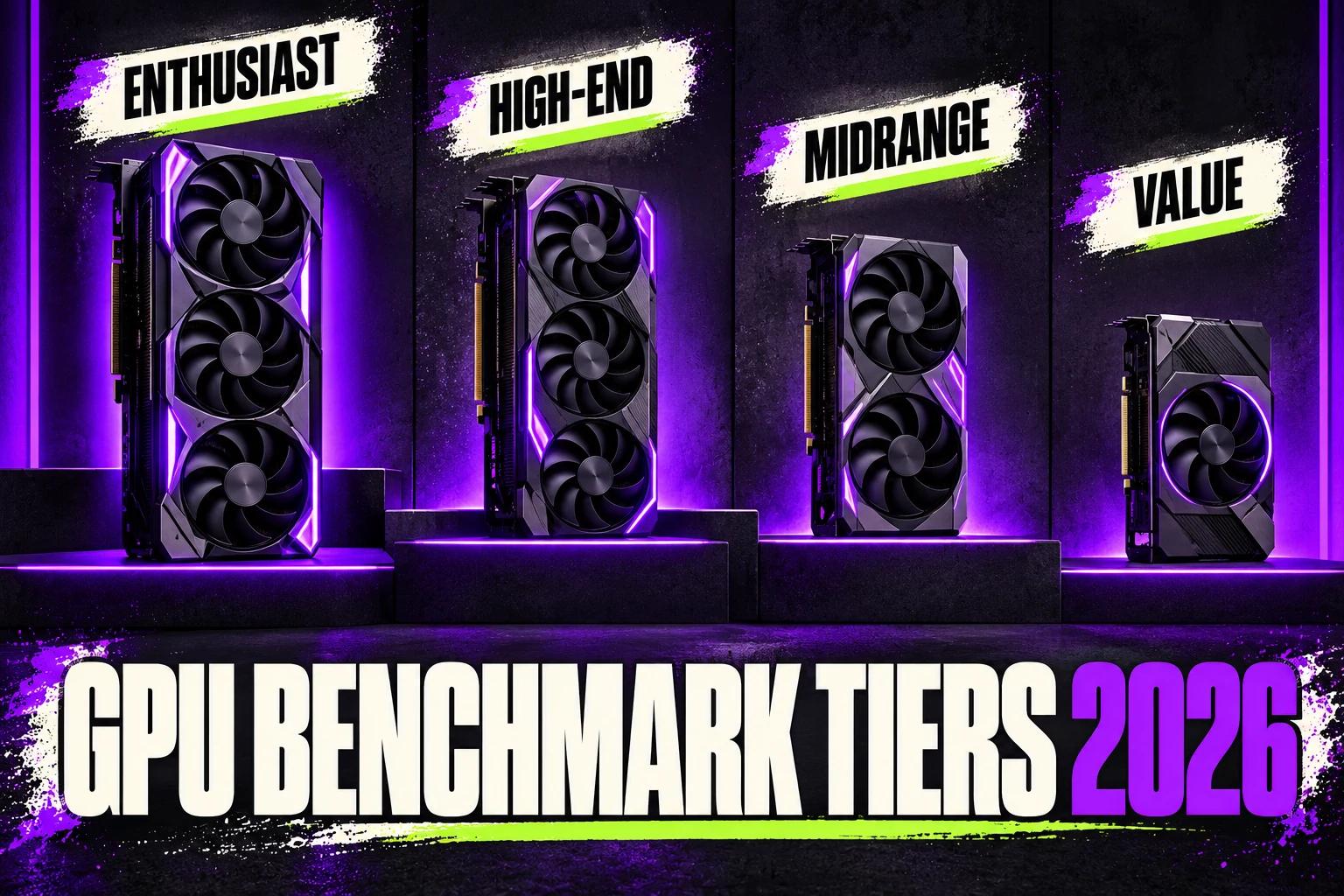
What's the best GPU for gaming in 2026?
Best overall: RTX 5080. Best value: RX 9070 XT. Best budget: RTX 4060. Best 4K: RTX 5090.
Table of Contents
Choosing the right graphics card in 2026 feels overwhelming with dozens of options spanning multiple generations, architectures, and price points. Whether you're building your first gaming PC or hunting for a 4K flagship, this GPU tier list ranks 40+ cards from S-tier to D-tier using real-world gaming benchmarks — so you can see exactly where every GPU lands before you buy.
I've ranked over 40 graphics cards, using published benchmarks, from NVIDIA's RTX 50 and RTX 40 series, AMD's RX 9000 and RX 7000 lineups, and Intel's Arc Battlemage and Alchemist families. Each GPU is ranked into performance tiers based on gaming frame rates, ray tracing capability, power efficiency, value proposition, and feature set.
This tier list answers the questions that matter: What GPU delivers the best frames per dollar? Which card handles 1440p 144Hz without breaking a sweat? Is ray tracing worth the premium? Planning around a specific blockbuster? My guide to the best GPU for GTA 6 applies these same rankings to one of the most anticipated releases. I break down every tier with detailed analysis, comparison tables, and buying advice tailored to your gaming goals and budget.
Quick Navigation Tools
Use my GPU Compare Tool to benchmark any two cards side-by-side, or try the FPS Calculator to estimate performance for your specific CPU and game combination.
Benchmark Methodology & Testing Standards
These rankings are built from other people's testing, not my own: they combine synthetic benchmarks (including 3DMark scores) with real-game performance data to produce tier placements that reflect actual gaming experiences—not just theoretical specifications. You can cross-reference my rankings with PassMark's GPU benchmark database. If you'd rather learn to read these numbers yourself, my guide on how to compare graphics cards breaks down which specs actually predict gaming performance.
The tier placements below are a snapshot. The underlying scores are kept current in the live GPU and CPU performance rankings, and the full specification sheet for any card in this list lives in the hardware database.
Where These Figures Come From
I don't run my own test bench. The placements and figures in this list are my estimates, compiled with AI assistance from published reviews — not my own test results. They describe each card when it is the limiting part of the system, so a slower CPU, different drivers or different settings will change what you see.
Games & Benchmarks Tested
I compare each GPU across published results for 15 demanding titles representing different engines, optimization levels, and graphical workloads:
- AAA Ray Tracing: Cyberpunk 2077 (Path Tracing), Alan Wake 2, Black Myth: Wukong
- Open World: GTA 6, Horizon Forbidden West, Starfield
- Competitive/Esports: Counter-Strike 2, Valorant, Apex Legends, Fortnite
- Action/Adventure: God of War Ragnarök, Spider-Man 2, Assassin's Creed Shadows
- Simulation: Microsoft Flight Simulator 2024, Cities: Skylines 2
Ranking Criteria & Weighting
Each GPU's tier placement considers multiple performance factors weighted by importance to typical gamers:
| Factor | Weight | Description |
|---|---|---|
| 1440p Gaming FPS | 35% | Average FPS across AAA titles at high/ultra settings |
| Ray Tracing Performance | 20% | Frame rates with RT enabled, DLSS/FSR assistance |
| Price-to-Performance | 20% | FPS per dollar at MSRP and current street prices |
| Power Efficiency | 10% | Performance per watt, thermal management |
| VRAM Capacity | 10% | Future-proofing for high-res textures and 4K |
| Features & Ecosystem | 5% | DLSS/FSR quality, encoder, driver stability |
Use my FPS Calculator to see how these GPUs perform with your specific CPU configuration. Hardware bottlenecks can significantly impact real-world results.
S-Tier: Flagship Gaming GPUs (Best Performance)
S-tier graphics cards represent the pinnacle of gaming performance in 2026. These GPUs dominate 1440p at ultra settings, deliver playable 4K frame rates, and handle ray tracing without compromise. Detailed specifications for every card below are available on TechPowerUp's GPU database. If you want the best possible gaming experience, content creation power, or future-proofing for years to come, S-tier is your target.
S-Tier Performance Summary
1440p Ultra: 110-200+ FPS | 4K High: 60-140 FPS | Ray Tracing: Excellent
| GPU | 1440p Ultra | 4K High | RT Performance | VRAM | TDP | Buy |
|---|---|---|---|---|---|---|
| RTX 5090 | 180-200+ FPS | 120-140 FPS | Outstanding | 32GB GDDR7 | 575W | Check price |
| RTX 5080 | 140-160 FPS | 85-100 FPS | Excellent | 16GB GDDR7 | 360W | Check price |
| RTX 5070 Ti | 125-145 FPS | 70-85 FPS | Excellent | 16GB GDDR7 | 300W | Check price |
| RTX 5070 | 110-130 FPS | 65-75 FPS | Excellent | 12GB GDDR7 | 250W | Check price |
| RX 9070 XT | 105-125 FPS | 60-70 FPS | Good | 16GB GDDR6 | 280W | Check price |
RTX 5090: The Absolute Performance King
NVIDIA's Blackwell flagship redefines what's possible in consumer gaming hardware. The RTX 5090 pushes 180-200+ FPS at 1440p ultra in demanding titles like Cyberpunk 2077 and Black Myth: Wukong without breaking a sweat. At 4K with ray tracing enabled and DLSS 4 Multi Frame Generation, you're looking at 100+ FPS in virtually every game.
The 32GB GDDR7 framebuffer ensures zero VRAM limitations for the foreseeable future—4K texture packs, heavy mod loads, and content creation workflows are all covered. The catch? A 575W TDP demands serious cooling and power infrastructure. You'll need an 850W+ PSU at minimum, and my PSU Calculator can help you size appropriately.
Best for: Enthusiasts, 4K 120Hz+ gaming, professional content creators, builds without cutting corners.
RTX 5080: High-End Sweet Spot
The RTX 5080 is the high-end sweet spot. The RTX 5080's 140-160 FPS at 1440p ultra handles demanding titles effortlessly, and DLSS 4 Frame Generation pushes frame rates even higher with minimal latency impact. Wondering whether the flagship justifies double the price? My RTX 5080 vs RTX 5090 comparison lays out exactly what the extra money buys.
AMD has no RDNA 4 card in this tier: the line-up tops out at the RX 9070 XT, covered below. An earlier version of this page described an "RX 9080 XT"; no such card exists, and I have removed it.
Best for: 1440p 144Hz+ gaming, competitive 4K, ray tracing enthusiasts.
RTX 5070 & RX 9070 XT: Best Value S-Tier
The RTX 5070 and RX 9070 XT represent the most compelling GPU purchases in 2026. Both cards deliver genuine S-tier performance that used to cost noticeably more. These aren't compromised mid-range cards—they're proper high-performance GPUs at accessible price points.
The RTX 5070 averages 110-130 FPS at 1440p ultra settings, with DLSS 4 pushing well beyond 144 FPS when desired. Its 12GB GDDR7 memory is fast enough to mitigate capacity concerns for most scenarios. The RX 9070 XT offers similar gaming performance with 16GB VRAM and typically better pricing when available. If you're torn between the 5070 and stretching your budget to the 5080, my RTX 5080 vs RTX 5070 comparison breaks down whether the jump is worth it.
For gamers targeting 1440p 100+ FPS without spending four figures, these two cards are the clear winners. Check compatibility with your build using my PC Builder tool.
Best for: 1440p high-refresh gaming, budget-conscious enthusiasts, best price-to-performance ratio.
A-Tier: Excellent Performance GPUs
A-tier graphics cards deliver outstanding gaming experiences at 1440p high settings and crush 1080p ultra. These include previous-generation flagships now available at reduced prices and current-generation upper mid-range options. If S-tier is overkill for your needs or budget, A-tier provides the best balance of performance and value.
A-Tier Performance Summary
1440p High: 70-100+ FPS | 1080p Ultra: 100-150+ FPS | Ray Tracing: Good to Excellent
| GPU | 1440p High | 1080p Ultra | RT Performance | VRAM | TDP | Buy |
|---|---|---|---|---|---|---|
| RTX 4090 | 160-180 FPS | 200+ FPS | Outstanding | 24GB GDDR6X | 450W | Check price |
| RTX 4080 Super | 110-130 FPS | 150-170 FPS | Excellent | 16GB GDDR6X | 320W | Check price |
| RX 7900 XTX | 105-125 FPS | 145-165 FPS | Good | 24GB GDDR6 | 355W | Check price |
| RTX 4080 | 100-120 FPS | 130-150 FPS | Excellent | 16GB GDDR6X | 320W | Check price |
| RX 7900 XT | 95-115 FPS | 120-140 FPS | Good | 20GB GDDR6 | 315W | Check price |
| RTX 4070 Ti Super | 85-105 FPS | 120-140 FPS | Excellent | 16GB GDDR6X | 285W | Check price |
| RX 9070 | 80-100 FPS | 110-130 FPS | Good | 12GB GDDR6 | 220W | Check price |
| RTX 4070 Ti | 80-95 FPS | 110-130 FPS | Excellent | 12GB GDDR6X | 285W | Check price |
| RTX 4070 Super | 75-90 FPS | 105-125 FPS | Very Good | 12GB GDDR6X | 220W | Check price |
| RX 7800 XT | 65-80 FPS | 95-110 FPS | Fair | 16GB GDDR6 | 263W | Check price |
| RTX 4070 | 70-85 FPS | 100-120 FPS | Very Good | 12GB GDDR6X | 200W | Check price |
Previous Flagships: RTX 4090 & RX 7900 XTX
The RTX 4090 remains a monster despite the RTX 5090's arrival. At 160-180 FPS at 1440p, it's still faster than everything except NVIDIA's new flagship. Used or discounted RTX 4090s offer tremendous value for content creators who need the CUDA cores and 24GB VRAM but don't require DLSS 4's Multi Frame Generation.
AMD's RX 7900 XTX delivers RTX 4080-class performance with 24GB VRAM. It's the best option for gamers who prioritize memory capacity over ray tracing capability.
RX 7800 XT: Best Value A-Tier
The RX 7800 XT is the A-tier value champion. Its 16GB VRAM future-proofs for upcoming titles with aggressive memory requirements, and it handles 1440p high settings at 65-80 FPS in demanding games like Cyberpunk and Black Myth. For 1080p ultra, expect 95-110 FPS consistently.
The RX 7800 XT pairs excellently with a Ryzen 7 7800X3D or Intel Core i5-14600K. Check my CPU-GPU pairing guide for optimal combinations.
B-Tier: Solid Mid-Range Gaming GPUs
B-tier graphics cards target the mainstream gaming market with reliable performance at 1440p medium settings or 1080p high-ultra. These cards offer the best balance of cost and capability for budget-conscious gamers who still want smooth frame rates in modern titles.
B-Tier Performance Summary
1440p Medium: 55-80 FPS | 1080p High: 80-120 FPS | Ray Tracing: Limited to Fair
| GPU | 1440p Medium | 1080p High | VRAM | TDP | Buy |
|---|---|---|---|---|---|
| RTX 4060 Ti 16GB | 60-75 FPS | 90-110 FPS | 16GB GDDR6 | 165W | Check price |
| RX 7700 XT | 55-70 FPS | 85-105 FPS | 12GB GDDR6 | 245W | Check price |
| RTX 4060 Ti 8GB | 55-70 FPS | 80-100 FPS | 8GB GDDR6 | 160W | Check price |
| Arc B580 | 50-65 FPS | 75-95 FPS | 12GB GDDR6 | 190W | Check price |
| RX 6700 XT | 50-65 FPS | 75-90 FPS | 12GB GDDR6 | 230W | Check price |
| RTX 3070 | 50-65 FPS | 80-95 FPS | 8GB GDDR6 | 220W | Check price |
Intel Arc B580: Budget Breakthrough
Intel's Battlemage Arc B580 deserves special attention. It offers 12GB VRAM and performance competitive with the RTX 4060 Ti 8GB, a more expensive card. Driver stability has improved dramatically, and the B580 now competes credibly for budget-focused builds.
The B580 excels in DirectX 12 and Vulkan titles but can struggle with older DX11 games. For modern gaming, it's the best value proposition in B-tier.
RTX 4060 Ti: Balanced Mid-Range
The RTX 4060 Ti remains the safe choice for 1080p high-refresh and entry-level 1440p gaming. The 16GB variant provides VRAM headroom, while the 8GB version handles current titles well but may face limitations in future releases.
Both versions support DLSS 3 Frame Generation, which can push frame rates significantly higher in supported titles—particularly valuable for competitive games where high FPS matters.
C-Tier: Budget Gaming GPUs
C-tier cards target budget gaming builds, older system upgrades, and 1080p medium/high gaming. These GPUs handle esports titles at high frame rates and can manage demanding AAA games at reduced settings.
C-Tier Performance Summary
1080p High: 50-80 FPS | 1080p Medium: 70-100+ FPS | Esports: 144+ FPS
| GPU | 1080p High | Esports Titles | VRAM | TDP | Buy |
|---|---|---|---|---|---|
| RTX 4060 | 70-85 FPS | 200+ FPS | 8GB GDDR6 | 115W | Check price |
| RX 7600 XT | 65-80 FPS | 180+ FPS | 16GB GDDR6 | 190W | Check price |
| RX 7600 | 60-75 FPS | 170+ FPS | 8GB GDDR6 | 165W | Check price |
| Arc A770 | 55-75 FPS | 150+ FPS | 16GB GDDR6 | 225W | Check price |
| RTX 3060 12GB | 55-70 FPS | 160+ FPS | 12GB GDDR6 | 170W | Check price |
| RX 6650 XT | 55-70 FPS | 160+ FPS | 8GB GDDR6 | 180W | Check price |
RTX 4060: Most Efficient Budget Card
With a 115W TDP, the RTX 4060 sips power while delivering competitive 1080p performance. It fits in compact cases, runs quietly, and doesn't demand expensive power supplies. For esports-focused gamers, it hits 200+ FPS in Counter-Strike 2 and Valorant effortlessly.
RX 7600 XT: VRAM Leader
AMD's RX 7600 XT packs 16GB VRAM, unusual for its price segment. If you're concerned about future VRAM requirements or play modded games with high-resolution texture packs, this card provides breathing room that 8GB alternatives can't match.
D-Tier: Entry-Level & Legacy GPUs
D-tier cards are suitable for basic 1080p gaming at reduced settings, esports titles, and older game libraries. These GPUs are best for extreme budget builds, secondary systems, or casual gaming where high frame rates aren't critical.
D-Tier Performance Summary
1080p Medium: 40-60 FPS | Esports: 100-144 FPS | Limited AAA capability
| GPU | 1080p Medium | VRAM | TDP | Buy | Best For |
|---|---|---|---|---|---|
| Arc A580 | 50-65 FPS | 8GB GDDR6 | 185W | Check price | Budget DX12 gaming |
| RTX 3050 | 45-60 FPS | 8GB GDDR6 | 130W | Check price | Entry 1080p, ray tracing |
| RX 6500 XT | 40-55 FPS | 4GB GDDR6 | 107W | Check price | Ultra-budget |
| GTX 1650 | 35-50 FPS | 4GB GDDR6 | 75W | Check price | Small form factor |
D-tier GPUs should only be purchased when budget constraints are severe. In most cases, saving a little more for a C-tier card delivers dramatically better gaming experiences and longer useful lifespan.
NVIDIA vs AMD: Head-to-Head Tier Comparison
The eternal GPU rivalry continues in 2026 with both manufacturers offering competitive options across all price segments. Understanding where each excels helps you choose the right card for your priorities.
Where NVIDIA Wins
- Ray Tracing Performance: NVIDIA's RT cores outperform AMD by 20-40% with path tracing enabled
- DLSS 4 Multi Frame Generation: Generates up to 3 additional frames with minimal latency—AMD's FSR 4 isn't as sophisticated
- Content Creation: CUDA acceleration, NVENC encoder, and broader software support
- Driver Stability: More mature drivers with faster game-ready updates
- AI Features: ChatRTX, Broadcast, and other AI-accelerated applications
Where AMD Wins
- Price-to-Performance: AMD typically offers 5-15% better value at equivalent tiers
- VRAM Capacity: More memory at each price point (16GB vs 12GB, 24GB vs 16GB)
- Raw Rasterization: AMD often matches or beats NVIDIA without RT enabled
- Power Efficiency: RDNA 4 cards draw less power than Blackwell equivalents
- Open Standards: FreeSync, FSR open-source, no proprietary lock-in
| NVIDIA | AMD Equivalent | Rasterization | Ray Tracing | Value |
|---|---|---|---|---|
| RTX 5090 | No direct competitor | NVIDIA | NVIDIA | — |
| RTX 5080 | — (no AMD equivalent) | Tie | NVIDIA | AMD (VRAM) |
| RTX 5070 | RX 9070 XT | Tie | NVIDIA | AMD (VRAM) |
| RTX 4070 Super | RX 7800 XT | Tie | NVIDIA | AMD (usually costs less) |
| RTX 4060 Ti | RX 7700 XT | AMD | NVIDIA | AMD (faster) |
| RTX 4060 | RX 7600 | Tie | NVIDIA | AMD (usually costs less) |
Use my GPU Compare tool to see detailed head-to-head benchmarks for any two cards with game-specific performance data. For a full breakdown, read my NVIDIA vs AMD 2026 Comparison.
GPU Recommendations by Resolution & Refresh Rate
Your monitor determines which GPU makes sense. There's no point buying an RTX 5090 for a 1080p 60Hz display—and conversely, a budget card won't satisfy 4K 144Hz ambitions. Match your GPU to your display for optimal value.
1080p 60Hz (Entry Gaming)
Target: 60+ FPS at high settings. Any C-tier or better GPU handles this comfortably.
- Best Value: RX 7600 or RTX 4060
- Budget Option: Arc A580
- Used Market: RTX 3060 or RX 6600 XT
1080p 144Hz (Competitive Gaming)
Target: 144+ FPS at high settings for smooth competitive play.
- Best Choice: RTX 4060 Ti or RX 7700 XT
- Budget: Arc B580 with modern titles
- Esports Focus: Even C-tier hits 200+ FPS in Valorant/CS2
1440p 60Hz (Balanced Quality)
Target: 60+ FPS at high/ultra settings for cinematic single-player experiences.
- Sweet Spot: RX 7800 XT or RTX 4070
- With Upscaling: RTX 4060 Ti handles most games at 60+ FPS with DLSS
1440p 144Hz+ (High-Refresh Gaming)
Target: 100-144+ FPS at high settings—the enthusiast standard for 2026.
- Best Value: RTX 5070 or RX 9070 XT
- Premium: RTX 5080 for consistent 144+ FPS ultra
- Previous Gen: RTX 4080 remains excellent
For a deep dive into the best 1440p options, see my Best GPU for 1440p Gaming 2026 guide.
4K 60Hz (Ultra Quality)
Target: 60+ FPS at high settings for 4K displays.
- Recommended: RTX 5070 Ti or RTX 5080
- AMD: RX 9070 XT with FSR 4 upscaling, at reduced settings
- Budget 4K: RTX 4080 with DLSS handles most titles
4K 120Hz+ (Ultimate Gaming)
Target: 100-120+ FPS at 4K—the absolute pinnacle of gaming performance.
- Required: RTX 5090 or RTX 5080 with DLSS 4 Frame Gen
- Reality Check: Native 4K 120Hz in demanding games requires flagship hardware
Not sure which resolution target fits your setup? My FPS Calculator predicts performance for your specific hardware and games.
Best GPUs by Price Range (March 2026)
Budget often dictates GPU choice more than any other factor. Here's the optimal pick at each price bracket, updated with current street prices.
Extreme Budget
| GPU | Buy | Why Buy |
|---|---|---|
| Arc A580 | Check price | Best entry-level performance, 8GB VRAM |
| RTX 3050 (used) | Check price | DLSS support, ray tracing capable |
Budget Gaming
| GPU | Buy | Why Buy |
|---|---|---|
| Arc B580 ⭐ | Check price | Best value in segment, 12GB VRAM |
| RX 7600 | Check price | Proven AMD option, better DX11 |
| RTX 4060 | Check price | DLSS 3, efficiency, compact builds |
Looking for more budget picks? Check out my Best GPU Under $300 in 2026 guide for detailed analysis.
Mid-Range Sweet Spot
| GPU | Buy | Why Buy |
|---|---|---|
| RX 7800 XT ⭐ | Check price | Best 1440p value, 16GB future-proof |
| RX 9070 | Check price | Newer architecture, better RT |
| RTX 4060 Ti 16GB | Check price | VRAM headroom + DLSS 3 |
| RTX 4070 | Check price | Excellent RT, efficient |
Enthusiast
| GPU | Buy | Why Buy |
|---|---|---|
| RTX 5070 ⭐ | Check price | Best overall value, DLSS 4 |
| RX 9070 XT ⭐ | Check price | 16GB VRAM, AMD value |
| RTX 5070 Ti | Check price | More headroom for 4K/RT |
| RTX 4080 (sale) | Check price | Previous flagship, proven |
High-End
| GPU | Buy | Why Buy |
|---|---|---|
| RTX 5080 ⭐ | Check price | Best high-end, DLSS 4 MFG |
| RTX 4080 Super | Check price | Mature drivers, still excellent |
Flagship
| GPU | Buy | Why Buy |
|---|---|---|
| RTX 5090 ⭐ | Check price | Absolute fastest, 32GB, no compromises |
| RTX 4090 (used) | Check price | Excellent value if RT not needed |
Building a complete system? Use my PC Builder to configure compatible components around your chosen GPU, ensuring proper CPU balance and power supply sizing.
Power Consumption & Thermal Analysis
Modern high-end GPUs demand serious power infrastructure. The RTX 5090's 575W TDP isn't just a number—it affects your PSU choice, case airflow requirements, electricity costs, and even room temperature. Understanding power requirements prevents costly mistakes and ensures system stability.
PSU Requirements by Tier
| GPU Tier | GPU TDP Range | Minimum PSU | Recommended PSU |
|---|---|---|---|
| S-Tier (Flagship) | 340-575W | 850W | 1000-1200W (Platinum+) |
| A-Tier (High-End) | 200-355W | 650W | 750-850W (Gold+) |
| B-Tier (Mid-Range) | 160-250W | 550W | 650W (Gold+) |
| C-Tier (Budget) | 115-225W | 450W | 550W (Bronze+) |
| D-Tier (Entry) | 75-185W | 350W | 450W |
Power Transient Spikes
Modern GPUs draw 1.5-2x their rated TDP during transient spikes. An RTX 5090 with a 575W TDP may spike to 1,000W+ momentarily. Use my PSU Calculator to size appropriately and check my PSU buying guide for tier recommendations.
Power Efficiency Rankings
Performance per watt matters for thermals, noise, and long-term running costs. Here are 2026's most efficient gaming GPUs:
- RTX 4060 (115W): Most efficient mid-range card—delivers B-tier performance on minimal power
- RTX 5070 (250W): S-tier performance at reasonable consumption, excellent perf/watt
- RX 9070 XT (280W): RDNA 4 significantly improved AMD efficiency
- RTX 5080 (360W): High-end performance without flagship power draw
- RTX 4070 (200W): Sweet spot for A-tier efficiency
Cooling Considerations
High-TDP cards require adequate case airflow and quality cooler designs. Key factors:
- Three-slot coolers: Most S-tier and A-tier cards occupy 2.5-3 slots—verify case clearance
- Case airflow: Mesh front panels and 2-3 intake fans recommended for cards above 300W
- Ambient temperature: High-TDP cards suffer more in warm rooms—consider regional climate
- Undervolting: Reduces temperatures and noise with minimal performance impact (5-10% power savings typical)
Future-Proofing Your GPU Purchase
A GPU purchase should serve you for 3-5 years before requiring upgrade. Making smart choices now extends useful lifespan and prevents buyer's remorse. Here's what to consider for long-term value.
VRAM: The Longevity Factor
Game VRAM requirements continue climbing as 4K textures and ray tracing become standard. Current recommendations:
- 8GB: Adequate for 1080p today, may limit settings at 1440p in 2-3 years
- 12GB: Comfortable for 1440p, handles most 4K scenarios
- 16GB: Future-proof for 1440p, comfortable 4K headroom
- 24GB+: 4K ultra with high-res mods, content creation workloads
If choosing between two similarly-priced cards, prioritize the one with more VRAM. The RX 7800 XT's 16GB versus RTX 4070's 12GB, for example, provides meaningful extra longevity.
Feature Set Considerations
- DLSS/FSR Support: AI upscaling extends GPU relevance by allowing lower native resolution with higher visual quality
- Frame Generation: DLSS 4 MFG and FSR 4 FG can double perceived frame rates in supported titles
- Ray Tracing Hardware: Dedicated RT cores become more important as path tracing adoption grows
- AV1 Encoding: All current-gen cards support AV1—important for content creators and streamers
- PCIe 5.0: Future storage and bandwidth improvements—current GPUs are PCIe 4.0 limited anyway
When to Buy vs Wait
With RTX 50 and RX 9000 series now available, late 2026 is a reasonable time to purchase. Consider:
- Buy now if: Your current GPU struggles with desired games/settings, or you're building new
- Wait if: Your GPU handles current needs acceptably and you want better prices/availability
- Black Friday/Holiday: Typically offers 10-20% discounts on previous-gen cards
- Mid-generation refresh: "Super" variants usually appear 6-12 months after launch
Frequently Asked Questions
What is the best GPU for gaming in 2026?
The RTX 5090 is the fastest consumer GPU available, delivering 180-200+ FPS at 1440p ultra settings. For most gamers seeking the best value, the RTX 5070 and RX 9070 XT offer S-tier performance, making them the sweet spot for 1440p 100+ FPS gaming.
What GPU do I need for 1440p 144Hz gaming?
For consistent 1440p 144Hz at high/ultra settings, target S-tier or high-end A-tier GPUs. The RTX 5070, RTX 5080, and RX 9070 XT all deliver 100-160 FPS at this resolution. Lower-tier cards can hit 144Hz with reduced settings or DLSS/FSR upscaling.
Is AMD or NVIDIA better for gaming?
Both excel in different areas. NVIDIA leads in ray tracing performance (20-40% faster) and DLSS 4 Multi Frame Generation quality. AMD typically offers 5-15% better price-to-performance and more VRAM at each price point. Choose NVIDIA for ray tracing and content creation; AMD for pure rasterization value.
What is the best budget GPU in 2026?
The Intel Arc B580 offers strong value with 12GB VRAM and performance close to the RTX 4060 Ti in modern titles. For AMD, the RX 7600 provides proven reliability, and the RTX 4060 adds DLSS 3 and better power efficiency. GPU prices change often in 2026, so check current prices before buying.
How much VRAM do I need for gaming in 2026?
For 1080p, 8GB remains sufficient. 1440p gaming benefits from 12GB for high/ultra settings with headroom. 4K gaming ideally wants 16GB+ for maximum texture quality and future-proofing. Games like Cyberpunk 2077 and Black Myth: Wukong already use 10-12GB at 4K ultra.
What PSU do I need for a high-end GPU?
S-tier GPUs like the RTX 5090 (575W TDP) require 850-1000W PSUs to handle transient power spikes. The RTX 5080 works well with a 750-850W unit. Mid-range cards need 550-650W. Use my PSU Calculator for precise recommendations based on your complete system.
Should I buy an RTX 4090 or wait for RTX 5090?
The RTX 5090 is now available with significantly better ray tracing, DLSS 4, and 32GB GDDR7. However, discounted or used RTX 4090s remain excellent for gaming and offer tremendous content creation value. The RTX 4090 lacks DLSS 4 Multi Frame Generation but otherwise performs within 15-20% of the 5090.
Is the RTX 5070 worth it over the RTX 4070 Ti?
Yes, in most cases. The RTX 5070 outperforms the RTX 4070 Ti by 10-15% in rasterization and offers dramatically better ray tracing plus DLSS 4 Multi Frame Generation. Unless you find an RTX 4070 Ti for clearly less than an RTX 5070, the RTX 5070 is the better purchase.
Can a mid-range GPU handle ray tracing?
B-tier and A-tier GPUs handle ray tracing with assistance from DLSS or FSR upscaling. The RTX 4070 and above deliver playable 60+ FPS with ray tracing in most titles at 1440p using balanced quality DLSS. AMD cards struggle more—ray tracing is best enjoyed on NVIDIA hardware or high-end RDNA 4 cards.
How often is this GPU tier list updated?
I update this tier list whenever significant new GPUs launch, major driver updates shift performance, or market prices change substantially. Current version reflects March 2026 hardware availability and pricing. Check back monthly for the latest rankings.
Conclusion: Choosing the Right GPU
The 2026 GPU landscape offers excellent options at every budget. Whether you're chasing 4K 120Hz dreams with an RTX 5090 or building a capable 1080p system with an Arc B580, there's never been more choice or better performance per dollar.
Quick Recommendations Recap
- Best Overall Value: RTX 5070 or RX 9070 XT — S-tier performance, 1440p 100+ FPS
- Best High-End: RTX 5080 — 1440p 144Hz, 4K capable, DLSS 4
- Best Budget: Arc B580 — Incredible value, 12GB VRAM
- Best Previous-Gen: RX 7800 XT — 16GB VRAM, proven performer
- Best Overall Performance: RTX 5090 — Fastest consumer GPU available
Use My Tools
Make informed decisions with my free hardware tools:
- → GPU Compare Tool: Side-by-side benchmarks for any two cards
- → FPS Calculator: Estimate performance for your specific build
- → PSU Calculator: Size your power supply correctly
- → PC Builder: Configure complete systems with compatibility checking
- → Benchmarks Database: Full GPU and CPU performance data
Have questions about GPU selection for your specific needs? Contact me or explore my blog for more in-depth hardware guides and analysis.
Last updated: October 9, 2026. Prices reflect current US MSRP and typical street pricing. Performance figures are my estimates, compiled with AI assistance from published reviews — not my own test results. Individual game results vary. Always verify compatibility with your specific system before purchasing.

About TechBenchPro
I'm Gourav Choudhary — a solo developer and PC enthusiast. I write every guide personally and update component notes as I can when new hardware or better data is available. Learn more about me.